
Keep learning with the companion guide.
Open this simple resource in a new tab, then use it at your own pace.
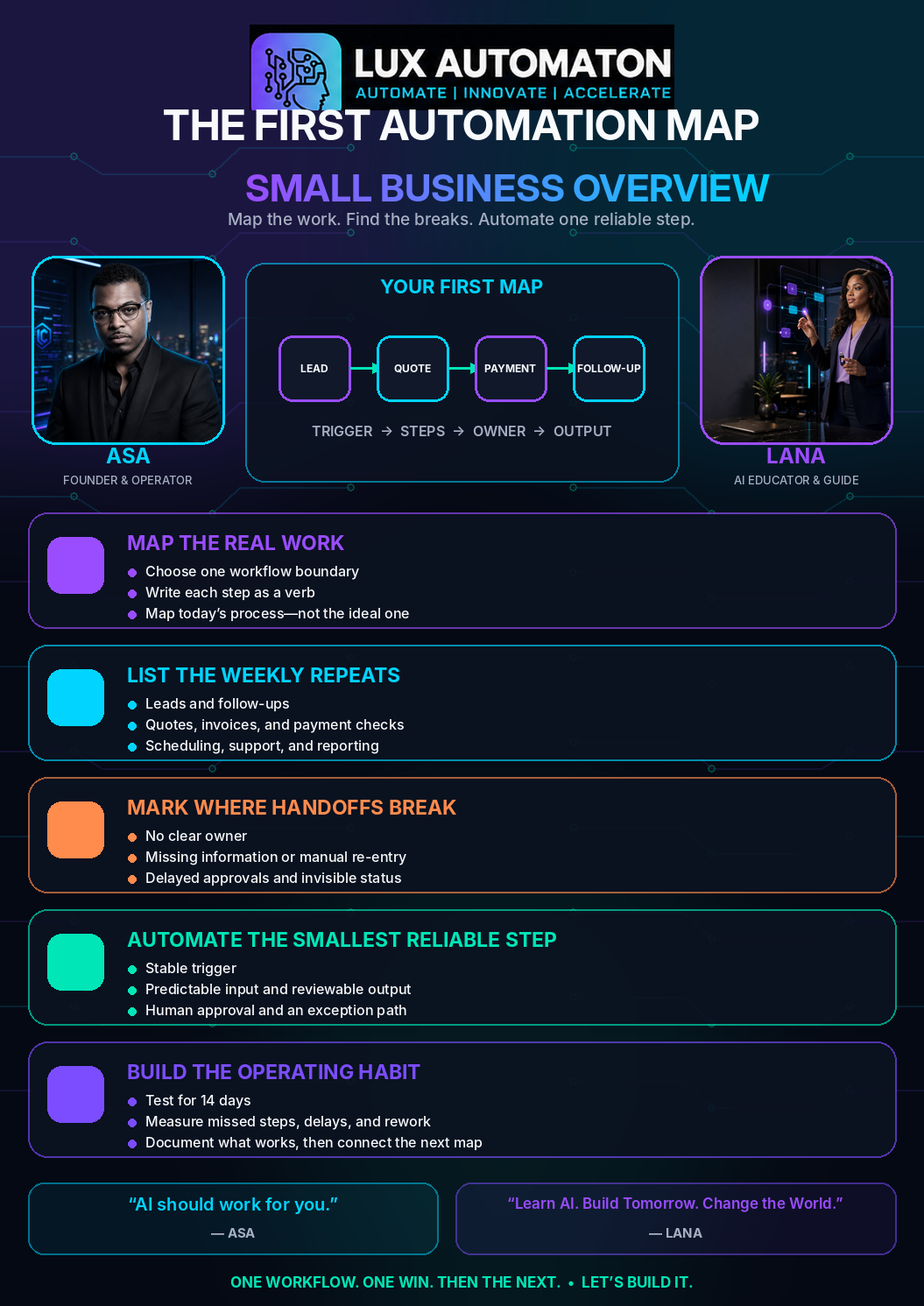
Open the free guide →Automation fails when it starts with software instead of work. The better starting point is a map: what happens when a lead arrives, what happens after a quote, what happens after payment, and what happens when someone forgets to follow up.
Once the repeated work is visible, AI has a job. It can draft replies, classify requests, build task checklists, summarize calls, and prepare the next action for review.
Lux Automaton treats automation as an operating habit. Start with one workflow. Make it dependable. Then connect the next one.
That first map does not have to be sophisticated. A sheet of paper, a whiteboard, or a simple document is enough. The purpose is to make the business visible before anyone adds another app, integration, or AI agent.
01 — List the weekly repeats
Most owners already know where the work feels heavy. What they often do not have is one clear picture of how that work moves from beginning to end. Details live in email, calendars, text messages, spreadsheets, payment systems, and someone’s memory. Each tool may work, but the workflow between them remains invisible.
Begin with one boundary that is small enough to understand. Good examples include 'new lead to first response,' 'approved quote to paid invoice,' 'payment received to service delivery,' or 'completed job to review request.' Avoid mapping the entire company on the first afternoon. A useful automation map has a clear trigger, a clear finish, and a real owner.
Next, write the steps as actions rather than software names. Do not write 'CRM,' 'email,' or 'accounting app.' Write 'capture the lead,' 'check the service area,' 'prepare the quote,' 'send the payment link,' 'schedule the work,' and 'confirm the follow-up.' Verbs reveal the work. App names only reveal where part of the work happens today.
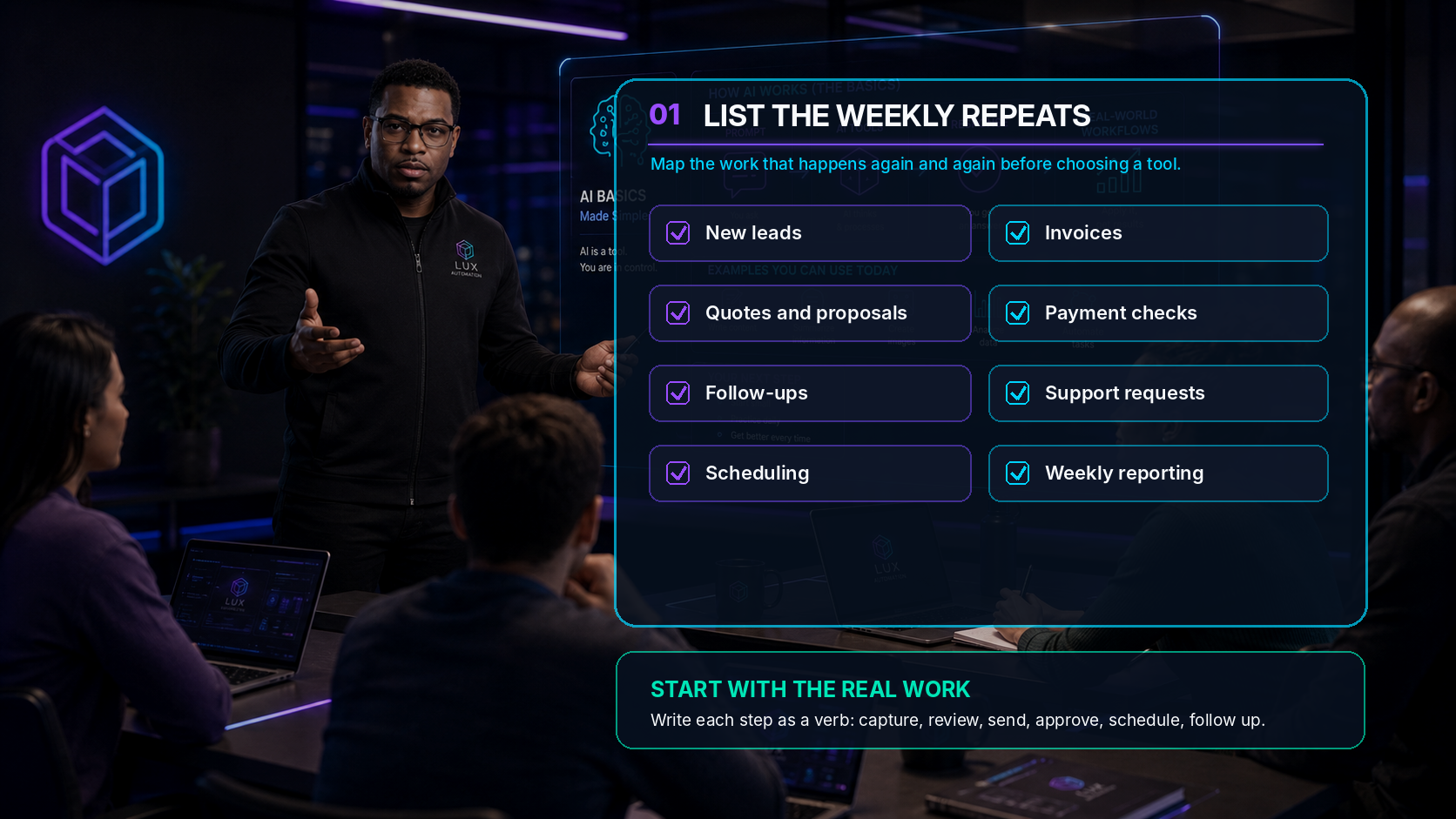
A quick weekly-repeat inventory usually uncovers more than expected. Look for work that appears every Monday, every time a new customer arrives, every time a project closes, or every time money changes hands. Common repeats include:
- Responding to new leads and sorting serious requests from general questions.
- Preparing quotes, proposals, appointment confirmations, or onboarding instructions.
- Sending invoices, checking payment status, and notifying the right person when payment arrives.
- Creating task lists, assigning owners, updating calendars, and reminding people about deadlines.
- Summarizing calls, filing notes, answering recurring support questions, and requesting reviews.
- Preparing weekly numbers, open-item reports, inventory checks, or customer-status updates.
For every step, capture seven details: the trigger, the action, the owner, the required information, the expected output, the place where the work currently lives, and the exceptions that change the normal path. You are not documenting for perfection. You are documenting enough context to understand what the next person—or the next system—needs.
Imagine a home-services business. A lead arrives through a website form. Someone checks the ZIP code, asks two qualifying questions, offers three appointment windows, creates a quote, and waits for approval. The map may reveal that the business does not have a lead problem at all. It has a handoff problem between the form, the person preparing the quote, and the person watching for the reply.
That is why Asa starts with the map instead of the demo. The best automation opportunity is often hiding inside work the team already understands.
“You cannot automate what the team cannot see. Map the real work first.” — Asa Pritchard
02 — Mark where handoffs break
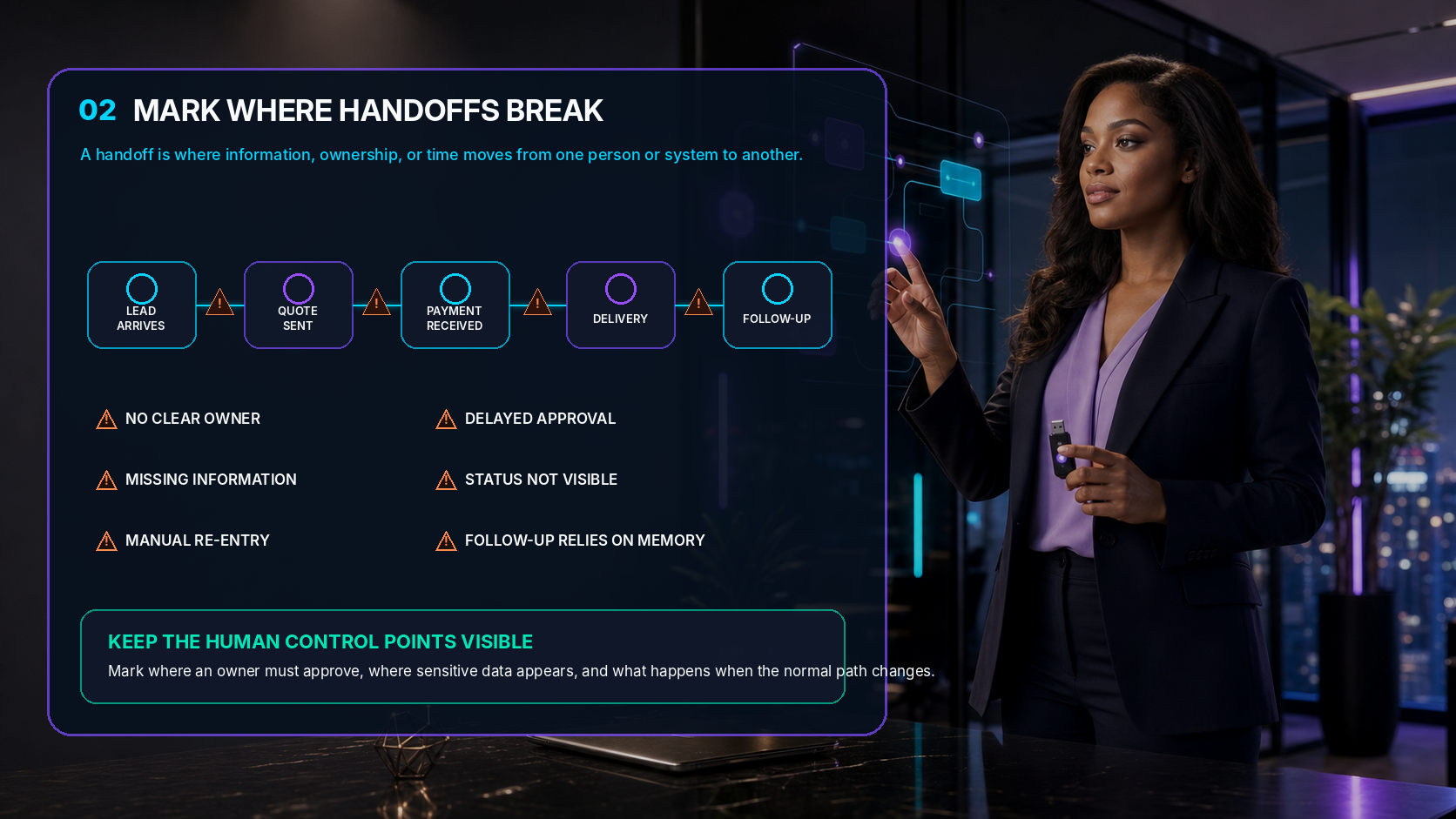
A handoff is the moment responsibility, information, or time moves from one person or system to another. Handoffs are where otherwise good processes become slow, fragile, or dependent on memory.
Mark every handoff on the map. Then ask what the next step is waiting for. Is the owner clear? Is the required information complete? Does someone have to copy data from one system into another? Is an approval sitting in a private inbox? Can the team see the current status without asking around? Does the follow-up happen because the system remembers—or because one reliable employee remembers?
The most common breaks are easy to recognize once they are visible:
- No clear owner: everyone assumes someone else will respond.
- Missing information: the next person cannot act without asking the customer the same question again.
- Manual re-entry: names, dates, totals, or notes are copied between tools and mistakes appear.
- Delayed approval: work pauses because the decision-maker cannot see what requires review.
- Invisible status: customers and teammates cannot tell what happened or what comes next.
- Memory-based follow-up: the process works only while one person remembers every loose end.
Use simple marks. A red triangle can mean 'the work stops here.' A yellow circle can mean 'this step often needs clarification.' A lock can mark sensitive information. A hand icon can mark a human approval. The map should be understandable at a glance, not impressive in a presentation.
This is also where privacy and control become practical instead of abstract. Mark which files contain customer information, financial details, contracts, or internal notes. Decide who should see them, which AI tools may use them, and where a human must approve an action before anything is sent or changed.
LANA’s role in this stage is not to declare every manual step inefficient. Some handoffs are valuable because they add judgment, care, or accountability. The question is whether the handoff adds value—or simply adds waiting, copying, and confusion.
A good map does not blame the team. It gives the team a shared language for friction. Once the break is visible, the improvement becomes easier to discuss.
“Do not automate a broken handoff until you understand why it breaks.” — LANA
03 — Automate the smallest reliable step first
The first automation should not be the most exciting possibility. It should be the smallest step the business can make reliable.
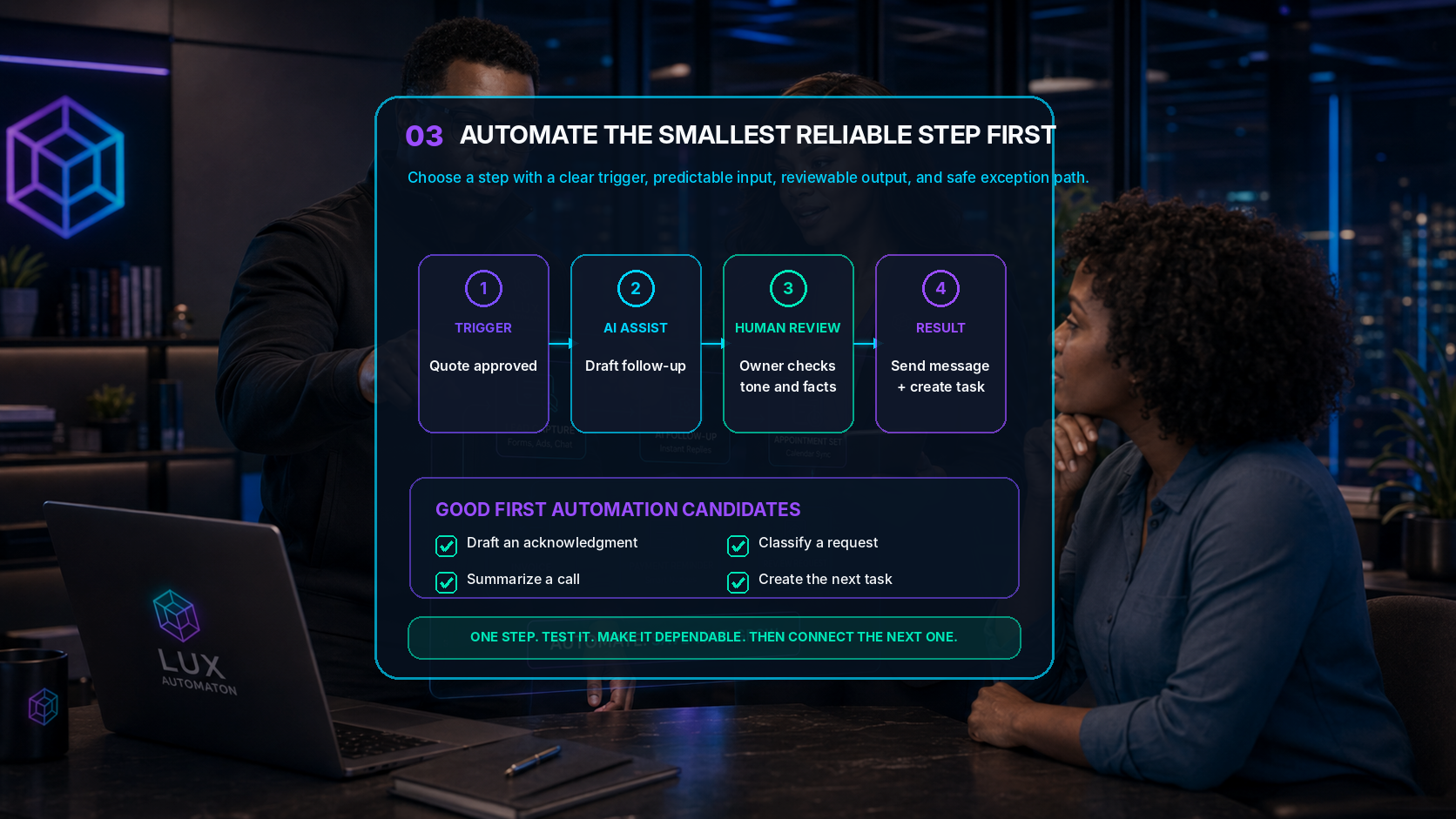
'Automate sales' is too broad. 'When a complete website inquiry arrives, create a lead task and draft a two-sentence acknowledgment for owner review' is specific. The trigger is known. The input is predictable. The output is easy to check. The owner remains in control, and the business can recover quickly when an exception appears.
A strong first candidate usually passes five tests:
- It happens often enough that improvement will matter.
- The normal rule is clear enough to explain without a long meeting.
- The required input is available and reasonably consistent.
- The result is easy for a person to review before it affects a customer or the business.
- A mistake is visible and recoverable rather than silent and expensive.
Start with assistance before full autonomy. At the first level, AI summarizes, classifies, or drafts. At the second level, it recommends the next action. At the third level, it performs the action only after approval. Full automatic execution belongs later, after the team understands the normal path, the exception path, and the measure of success.
Practical first steps include drafting the acknowledgment after a lead form, summarizing a discovery call into a task checklist, tagging support requests by topic, preparing an invoice draft from an approved quote, creating the next task after payment, or reminding the owner when a promised follow-up is overdue.
Run the first version for two weeks. Record the baseline before the test: response time, missed follow-ups, rework, manual minutes, and the number of exceptions. During the test, review every output. Note what the system misunderstood, what information was missing, and where the human reviewer changed the draft. Then update the instructions, checklist, or source information.
Reliability is the goal. A small workflow that works every week builds more confidence than a dramatic demo that fails during a busy afternoon.
The best first automation is not the biggest idea. It is the smallest useful step the team can trust.
Turn the map into an operating habit
Once the first step is dependable, add it to the operating rhythm. Give it an owner. Document what triggers it, what the system prepares, who approves the result, where the record is saved, and what happens when the normal path does not apply.
Review the automation map for twenty minutes each week. Remove steps that no longer exist. Add exceptions the team discovered. Compare the real workflow with the documented workflow. That small habit keeps the system connected to the business instead of allowing it to become another forgotten tool.
Only then should the business connect the next workflow. The lead acknowledgment may connect to quote preparation. Quote approval may connect to an invoice draft. Payment may connect to scheduling. Delivery may connect to a review request. Each dependable link creates a stronger operating layer without asking the owner to surrender judgment, relationships, or final approval.
The first automation map is not a technology diagram. It is a decision tool. It shows where the business repeats itself, where work gets lost, where AI can assist, and where people should continue to lead.
Start with one workflow. Make the work visible. Find one broken handoff. Automate one reliable step. Then connect the next one.
AI should work for you. Let’s build it.